Submission by Startrz
Hack #8: Cursor · Cursor
S
Startrz
14 May, 15:59
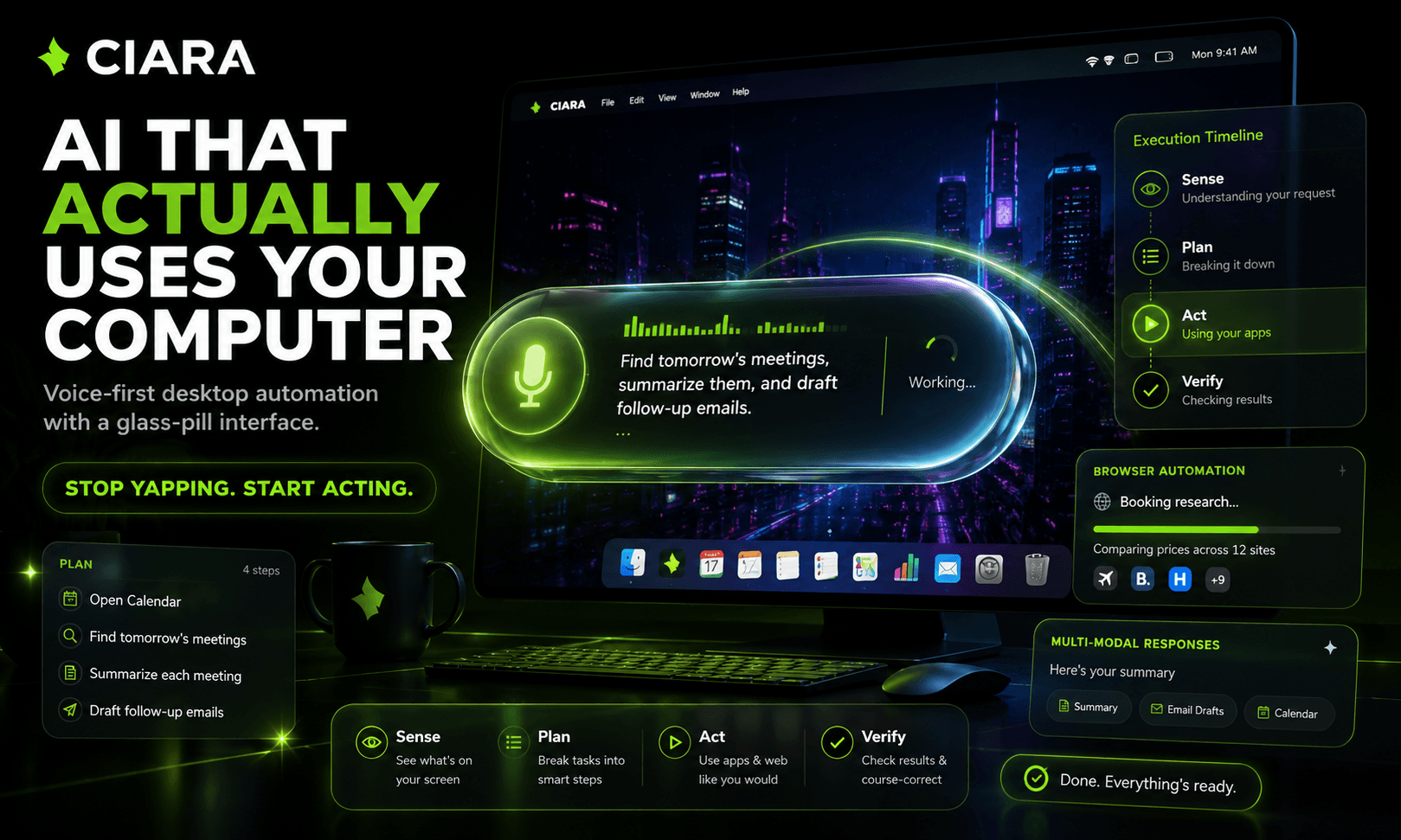
AI assistants got smart… but they still stop where the real work begins. They answer questions. They summarize pages. They explain what to do. But when you ask them to research something, fill a form, compare options, prepare a document, or help you work across your computer, most of them hand you instructions and leave the execution to you. CIARA changes that. CIARA — Control Intelligence Assistant for Real-time Automation — is a voice-first AI desktop companion that turns your computer into a conversational workspace. It lives as a transparent glass-pill overlay on your screen, letting you control your desktop through voice or text without breaking your workflow. Say “Hey CIARA” or press ⌘⇧Space, speak naturally, and CIARA begins turning your request into action. Built with Cursor, Electron, and Python, and powered by ElevenLabs voice technology, CIARA combines LLM reasoning, human-like voice interaction, desktop automation, browser control, and a local-first backend into one real-time command layer for your computer. The core system is built around a SPAV architecture: Sense → Plan → Act → Verify. Before acting, CIARA reads the current screen, understands the user’s goal, breaks the request into achievable milestones, performs each step, and verifies progress before continuing. This makes complex workflows feel simple and natural. Ask CIARA to research a topic, summarize findings, help with homework, navigate a website, fill a form, compare options, or prepare a document — and it does not just tell you how. It starts moving through the task. For example, instead of saying “here’s how to buy a train ticket,” CIARA can begin the actual workflow: search routes, compare schedules, choose options, fill the form, and pause for user approval before sensitive steps like payment. CIARA is not just a chatbot in a floating window. It is a real-time automation layer for the desktop. The interface is built around a glass-pill system that morphs between four states: Idle — a compact 220px pill with mic icon and “Hey CIARA” Listening — a 440px live transcription bar Thinking — a minimal 140px bouncing-dot state Doing — a 320px action state with spinner, app icon, and current task CIARA also supports rich multi-modal responses, including cards, tables, markdown, KaTeX math, code blocks, image viewers, timelines, streaming response cards, and step-by-step plan previews. For larger actions, CIARA can show a plan preview modal with each milestone and ask the user to proceed before execution. It also includes a command panel using ⌥Space for typed prompts, first-launch onboarding, keyboard shortcut setup, system checks, and provider configuration. For web workflows, CIARA connects to a Chrome extension that bridges browser actions like searching, filling forms, extracting data, and navigating pages. This allows CIARA to move beyond text responses and actually help complete tasks inside the browser. CIARA is also local-first. Its Python backend and user data stay on the machine under CIARA_DATA_DIR / ~/.ciara, while users can configure their own API keys for LLM and TTS providers as needed. The goal is not to build another AI assistant. The goal is to make the computer itself conversational. CIARA turns voice into action, making desktop workflows faster, more accessible, and usable for people who are busy, multitasking, or unable to rely on a keyboard. No endless prompting. No copy-pasting instructions. No keyboard required. Just speak, and watch your computer work. Built with Cursor. Powered by ElevenLabs. Designed for a future where you don’t type commands — you just ask, and the computer moves. CIARA is what happens when AI stops yapping and starts using the computer for you.
2 participants0 audience